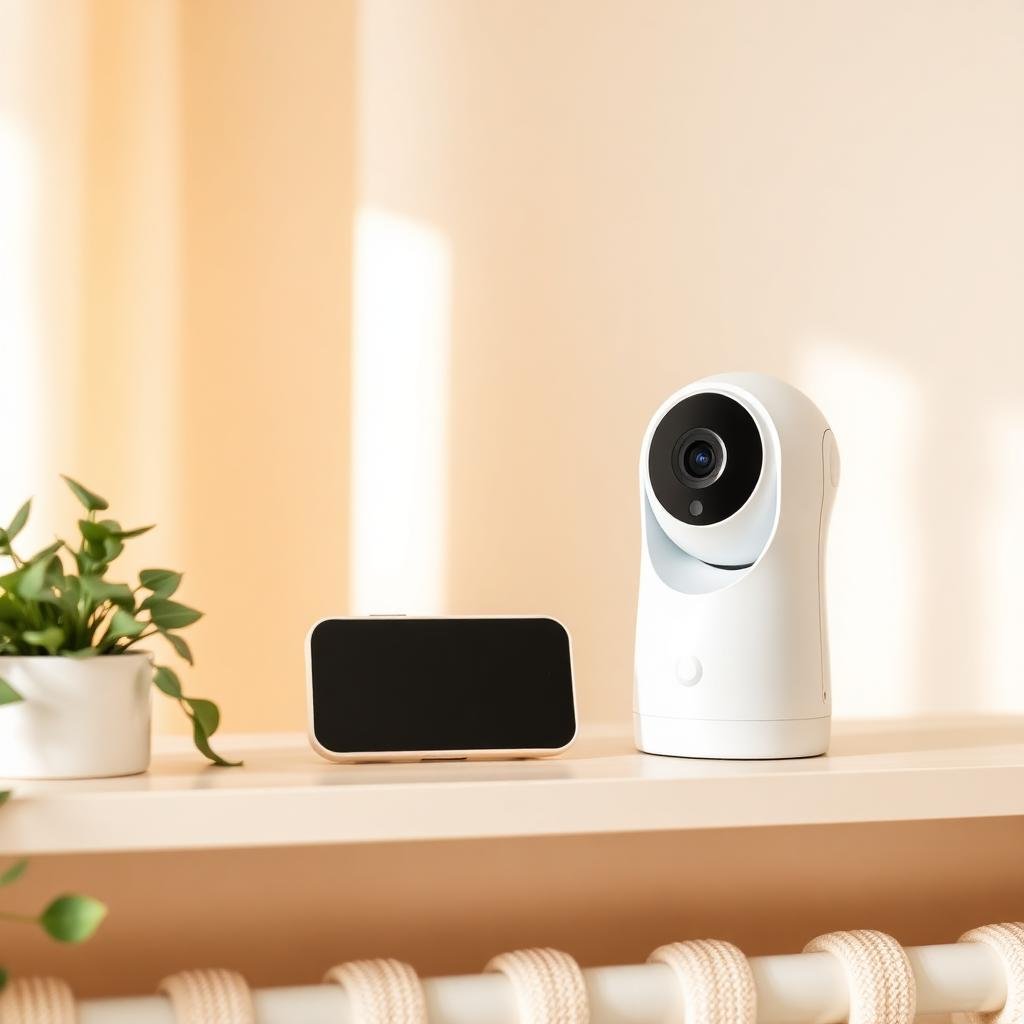
Baby Camera vs. Full Monitor System: What Do You Actually Need?
Medically reviewed by Dr. Ahmad Raza, MD (Pediatrics) — ChildBloom Medical Review Panel. Last updated: August 4, 2026.
Editorial & affiliate disclosure: our guidance is written and reviewed by clinicians. ChildBloom may earn a commission from qualifying purchases made through links on this page, which never changes what our pediatric reviewers recommend.
Looking for clear answers about baby camera vs full monitor system? This pediatrician-reviewed guide covers what matters, what to skip, the safety checks that count, and exactly when to involve your doctor — based on current AAP, CDC and CPSC guidance on baby camera vs full monitor system.
Quick pediatrician summary: baby camera vs full monitor system
Short answer: A pediatrician explains baby camera vs full monitor system: what is normal, the real risks, red flags to watch for and exactly when to call your doctor.
You need to be able to check on your baby without entering the room and potentially waking them. That is the fundamental need. But how you meet that need — a simple Wi-Fi camera, a full dedicated monitor system, or something in between — is a decision with implications for security, convenience, reliability, and cost.
PART 1: THE TWO OPTIONS
Looking for the best options? Check out Best Wi-Fi Baby Cameras for Remote Monitoring: Security & Quality Reviewed.
WI-FI CAMERAS:
- Connect to your home Wi-Fi network
- Stream video to your phone via an app
- Allow remote viewing from anywhere (not just in the house)
- Examples: Wyze Cam, Google Nest Cam, Ring Indoor Cam, Nanit Pro
DEDICATED MONITOR SYSTEMS:
- Use a dedicated camera and parent unit (screen)
- Communicate via encrypted radio frequency (RF) signal — no Wi-Fi needed
- Work within a specific range (typically 600-1,000 feet)
- Examples: Infant Optics DXR-8, Eufy Spaceview, Motorola MBP series
PART 2: COMPARISON
SECURITY:
- Wi-Fi cameras: Vulnerable to hacking if not properly secured. Multiple documented cases of baby cameras being hacked. Must use strong passwords, two-factor authentication, and regular firmware updates.
- Dedicated monitors: Use encrypted RF signals. Not accessible via the internet. Cannot be hacked remotely. Significantly more secure.
CONVENIENCE:
- Wi-Fi cameras: Can be viewed from anywhere (work, car, another city). Can share access with grandparents or caregivers. Can receive push notifications.
- Dedicated monitors: Can only be viewed within range. No remote access. No notifications on your phone.
RELIABILITY:
- Wi-Fi cameras: Depend on your Wi-Fi network. If the internet goes down, the monitor stops working. Network congestion can cause lag or disconnection.
- Dedicated monitors: Independent of your Wi-Fi. Work even when the internet is down. Generally more reliable for in-home use.
VIDEO QUALITY:
- Both can provide excellent video quality (1080p or higher). Night vision quality varies between models in both categories.
ADDITIONAL FEATURES:
- Wi-Fi cameras: Often include temperature monitoring, two-way audio, sleep analytics, lullabies, and integration with smart home systems.
- Dedicated monitors: Often include temperature monitoring, two-way audio, lullabies, multiple camera support, and pan/tilt/zoom.
COST:
- Wi-Fi cameras: $25-$300. Some require subscriptions ($3-15/month) for cloud storage or advanced features.
- Dedicated monitors: $50-$300. No subscription required. One-time purchase.
PART 3: WHO SHOULD CHOOSE WHICH
CHOOSE A WI-FI CAMERA IF:
- You want to check on the baby remotely (from work, while traveling)
- You have a reliable, secure Wi-Fi network
- You are comfortable configuring network security (strong passwords, firmware updates, two-factor authentication)
- You want smart home integration
- You want sleep analytics or other data features
CHOOSE A DEDICATED MONITOR IF:
- Security is your top priority
- You want a simple, reliable system that works without Wi-Fi
- You do not want to pay monthly subscriptions
- You want a system that works even when the internet is down
- You prefer a dedicated parent unit (no phone needed)
CHOOSE BOTH IF:
- You want a dedicated monitor for in-home use (reliable, secure) and a Wi-Fi camera for remote access when you are away from home
PART 4: SECURITY TIPS FOR WI-FI CAMERAS
If you use a Wi-Fi camera:
- Change the default password immediately. Use a strong, unique password.
- Enable two-factor authentication (2FA) if available.
- Keep the camera’s firmware updated.
- Use a separate Wi-Fi network for IoT devices (if your router supports it).
- Disable remote access if you do not need it.
- Cover the camera lens when not in use (some cameras have a physical privacy shutter).
- Position the camera so it monitors the crib area but does not capture other private areas of the home.
Pediatrician’s Take
“The most important feature of a baby monitor is reliability. You need to be able to check on your baby when you need to — without lag, without disconnection, and without security concerns. Dedicated monitors are more secure and more reliable for in-home use. Wi-Fi cameras offer remote access but introduce security vulnerabilities. For most families, a dedicated monitor is the better primary choice. Add a Wi-Fi camera only if you specifically need remote access.”
Related Articles
- White Noise Apps vs. Dedicated Machines
- Smart Baby Monitors: Do Oxygen & Heart Rate Alerts Prevent SIDS?
- Baby Tech That Actually Helps: A Pediatrician’s Honest Review
Recommended Products
Best Baby Monitor Cameras for Security (Wi-Fi and dedicated options compared) → See our top picks
Pediatrician’s Take
Pediatrician’s Take: A baby monitor is a tool, not a safety device. Its job is to let you check on your baby without opening the door and risking a full wake-up. That is it. It does not prevent SIDS, it does not replace safe sleep practices, and it does not diagnose illness. The most important question to ask before buying is not “what features does it have” but “is the connection reliable and secure?” A simple dedicated monitor that works every time you need it is better than a feature-rich Wi-Fi camera that lags, drops, or has a weak password. Pick the boring, reliable option. Your baby’s sleep is not the place for beta-testing smart home gear.
What Parents Need to Know
Whether you choose a Wi-Fi camera or a dedicated monitor system, the basics below apply. Walk through them once at setup and revisit them when you change your Wi-Fi password, add a new device to your network, or hand the monitor to a caregiver.
- Wi-Fi cameras are convenient and hackable. Multiple documented breaches of baby monitor cameras have been reported to the FTC and to news media. The pattern is almost always the same: default password, no firmware updates, no two-factor authentication, and the camera ends up on a publicly searchable index that anyone with a browser can find.
- Dedicated monitors are secure but limited. They use an encrypted radio frequency (typically 2.4 GHz FHSS) that is not on your Wi-Fi network, so they cannot be hacked remotely. The trade-off is no remote access, no smartphone integration, and a fixed range of 600-1,000 feet. For most families, that trade-off is the right one.
- Strong passwords are non-negotiable. The default password on any IoT device is public knowledge. The first thing you do, before mounting the camera, is change the password to a unique 14+ character string. A password manager is the easiest way to keep track. Reusing your email or Wi-Fi password is the most common mistake.
- Two-factor authentication (2FA) is the single best security upgrade. Even if your password leaks, 2FA blocks the login. Enable it on every account that supports it — the camera, the cloud storage account, and the email tied to both. An authenticator app is more secure than SMS codes.
- Keep firmware updated. Manufacturers patch vulnerabilities regularly. Enable auto-update if available, or check the app monthly. An unpatched camera from 2022 is a meaningfully bigger risk than the same camera in 2026. This is the security equivalent of changing the batteries in your smoke detector.
- Network segmentation is the next-level move. If your router supports a guest network or VLAN, put IoT devices (cameras, smart speakers, smart bulbs) on a separate network from your computers and phones. A compromised camera cannot reach your laptop, and vice versa. Most modern routers have this feature buried in the admin panel.
- Two-way audio and microphones are a real privacy consideration. A Wi-Fi camera in the nursery is a microphone in the nursery. Confirm the camera’s microphone is off when you do not need it, and check whether audio is stored in the cloud. If you do not need two-way audio, disable it.
- When in doubt, choose boring and reliable. A dedicated monitor with good reviews and a 2-year warranty is a better primary monitor than the latest Wi-Fi camera with subscription features you will not use. Add a Wi-Fi camera later if you find you actually need remote access. Most families do not, as often as they think they will.
Common Questions From Parents
Can Wi-Fi baby cameras actually be hacked?
Yes, and it happens more often than the marketing suggests. The most common scenario is a parent who never changed the default password, did not enable firmware updates, and ended up with a camera that became accessible to strangers on public directories of unsecured IoT devices. Search engines like Shodan and Insecam have indexed millions of such devices. Less common but more disturbing are targeted intrusions — a neighbor on the same Wi-Fi network exploiting weak encryption, or a compromised account on the camera’s cloud service. Strong unique passwords, firmware updates, and two-factor authentication prevent the vast majority of these. The FTC consumer privacy guidance walks through the same hygiene steps for any connected device in your home.
What is the most secure type of baby monitor?
A non-Wi-Fi dedicated monitor that uses encrypted radio frequency to communicate between the camera and the parent unit. Because the device never touches the internet, it cannot be reached by remote attackers. The Infant Optics DXR-8, Eufy Spaceview, and similar models are widely recommended for security-conscious parents. The trade-off is no remote viewing, no smartphone integration, and a fixed range. If you specifically need remote access, the next-most-secure option is a Wi-Fi camera from a major brand, with a unique password, 2FA enabled, firmware kept up to date, and ideally on a separate guest network.
Do I need a monitor if I already have a camera?
It depends on what the camera is for. If your only use case is “I want to glance at the baby from the kitchen or another room,” a dedicated monitor is more reliable than a phone app — it does not depend on Wi-Fi, the screen turns on instantly, and the audio/video is uninterrupted. If your only use case is “I want to check on the baby while I am at work or traveling,” then a Wi-Fi camera is the right tool. Many families end up with both: a dedicated monitor for in-home use and a Wi-Fi camera for remote access. They are not mutually exclusive, and they serve different jobs.
Can I use an old phone as a baby monitor?
Technically yes — apps like Alfred, Dormi, and several others turn an old phone into a baby monitor. The video is decent, the audio works, and the price is right. The security story is mixed: the app is a third-party service with access to your Wi-Fi, sometimes your router credentials, and the video stream. Read the privacy policy, use a strong account password, and 2FA if available. The other limitation is that the old phone’s battery, microphone, and camera are aging hardware — it is not as reliable as a purpose-built monitor. Acceptable as a backup; not ideal as a primary monitor for a long stretch.
Are baby cameras a fire hazard?
The risk is low but not zero. Most baby monitors and cameras are UL or ETL listed, which means they have passed fire-safety testing. The actual fire risk is overwhelmingly from the power adapter, not the camera itself. Use the manufacturer’s included adapter, do not daisy-chain power strips, do not cover the adapter while in use, and inspect cords periodically for cracking or fraying. If the adapter or device gets hot to the touch, unplug it and contact the manufacturer. The AAP home-safety guidance for nursery electronics applies to cameras the same way it does to any other plugged-in device in the room.
Do I need a monitor at all?
For newborns, almost always yes. Newborns have unpredictable sleep patterns, and being able to glance at the monitor instead of opening the door and risking a full wake-up is genuinely useful. For older infants and toddlers, it depends on your home layout and your anxiety level. If your baby sleeps in your room for the first 6 months (as the AAP recommends for safe sleep), a monitor is somewhat redundant but still useful for naps in a separate room. If your baby is in a separate room, a monitor gives you audio and visual awareness without the door-opening risk. There is no medical requirement to use one, but most parents find them useful, and the data on whether monitors actually reduce parental anxiety is mixed — some parents do better with a monitor, others do better without one. If you find the monitor making you check obsessively, that is a sign to step away from it. The right tool is the one that helps your family sleep, not the one with the longest feature list.
When to Call Your Pediatrician
A monitor helps you observe your baby, but the observations that matter are clinical. Call your pediatrician if you notice any of the following — even if the monitor says everything looks fine:
- Pauses in breathing, color changes (blue, gray, or very pale around the lips or face), or episodes where the baby goes limp and needs stimulation to start breathing again
- Repeated spit-ups, vomiting, or coughing that interrupts sleep and is new for the baby
- Loud snoring, gasping, choking, or unusual breathing sounds during sleep (possible obstructive sleep apnea, which is treatable)
- Failure to wake for feeds in a newborn, refusal of multiple feeds in a row in an older baby, or fewer wet diapers than expected
- Persistent fussiness, failure to console, or behavior that worries you, regardless of what the monitor shows
A baby monitor is for parents. It is not a diagnostic tool, and the absence of an alert does not mean the absence of a problem. When in doubt, call. We want the call.
Related Articles in This Cluster
This article is part of ChildBloom’s pediatrician-reviewed Baby Tech & Gear cluster. Continue reading:
- Baby Tech That Actually Helps: A Pediatrician’s Honest Review
- White Noise Apps vs. Dedicated Machines: Which Is Better for Baby Sleep?
- Best Smart Baby Monitors with Health Tracking
- Best Wi-Fi Baby Cameras for Remote Monitoring
- Smart Baby Monitors: Do Oxygen & Heart Rate Alerts Prevent SIDS?
Medical Disclaimer: This article is for informational purposes only and does not constitute medical advice. Always consult your pediatrician for guidance on your baby’s health and safety.
================================================================================
================================================================================
Related Articles in This Cluster
This article is part of ChildBloom’s pediatrician-reviewed Baby Tech & Gear cluster. Read the complete series:
- Baby Tech That Actually Helps: A Pediatrician’s Honest Review of Smart Monitors, Socks & Apps
- Smart Baby Monitors: Do Oxygen & Heart Rate Alerts Prevent SIDS?
- Baby Wearable Trackers (Owlet, etc.): Are They Worth the Anxiety?
- Smart Socks & Sleep Trackers: What the Data Actually Tells You
- White Noise Apps vs. Dedicated Machines: Which Is Better for Baby Sleep?
- Best Smart Baby Monitors with Health Tracking: Pediatrician-Reviewed Comparison
- Top 5 Baby Sleep Trackers & Wearables: Pediatrician-Reviewed Accuracy Guide
- Best Wi-Fi Baby Cameras for Remote Monitoring: Security & Quality Reviewed
Related Pediatrician-Reviewed Resources
This article is part of the pediatrician-reviewed Baby Tech & Gear series. Continue reading:
- White Noise Apps vs. Dedicated Machines: Which Is Better for Baby Sleep?
- Smart Socks & Sleep Trackers: What the Data Actually Tells You
- Baby Wearable Trackers (Owlet, etc.): Are They Worth the Anxiety?
- Smart Baby Monitors: Do Oxygen & Heart Rate Alerts Prevent SIDS?
Trusted Authority Sources
Frequently Asked Questions
Q: How much sleep does my baby need?
A: Newborns (0-3 months) need 14-17 hours per day. Infants (4-11 months) need 12-15 hours. Toddlers (1-2 years) need 11-14 hours. These are totals including naps. Every baby is different, but consistency in schedule and sleep environment matters more than hitting exact numbers.
Q: When will my baby sleep through the night?
A: Most babies start sleeping longer stretches (5-6 hours) around 3-4 months, but “sleeping through the night” (10-12 hours) typically doesn’t happen consistently until 6-9 months or later. Night wakings are normal and developmentally appropriate even after your baby can sleep longer stretches.
Q: What is the safest sleep position for my baby?
A: Always place your baby on their back for every sleep (naps and nighttime). This is the single most important step to reduce SIDS risk. Once your baby can roll independently (usually 4-6 months), they may roll to their stomach during sleep—this is okay if they got there on their own, but always start them on their back.
📖 More from the Health & Safety Hub: your A-Z pediatrician guide to baby health, common illnesses, fevers, rashes, allergies, safety
Related: Best non WiFi baby monitors 2026 — closed-circuit, hack-proof picks
Related pediatrician-reviewed reading
- Baby immune system support pediatrician
- Best Wi-Fi Baby Cameras for Remote Monitoring
- Baby Wearable Trackers
- Best Baby Monitor 2026
- baby health & safety hub
References & further reading
Medical disclaimer: this article is for general education and does not replace individual medical advice. Always follow your own pediatrician’s guidance for your child.



One Comment