Baby Wearable Trackers (Owlet, etc.): Are They Worth the A
Medically reviewed by Dr. Ahmad Raza, MD (Pediatrics) — ChildBloom Medical Review Panel. Last updated: August 4, 2026.
Editorial & affiliate disclosure: our guidance is written and reviewed by clinicians. ChildBloom may earn a commission from qualifying purchases made through links on this page, which never changes what our pediatric reviewers recommend.
Looking for clear answers about baby wearable trackers? This pediatrician-reviewed guide covers what matters, what to skip, the safety checks that count, and exactly when to involve your doctor — based on current AAP, CDC and CPSC guidance on baby wearable trackers.
Quick pediatrician summary: baby wearable trackers
Short answer: A pediatrician explains baby wearable trackers: what is normal, the real risks, red flags to watch for and exactly when to call your doctor.
The Owlet Smart Sock is the most well-known baby wearable tracker. It sits on your baby’s foot, monitors their heart rate and oxygen levels, and sends data to a base station and your phone. Green means all is well. Red means something is outside the normal range.
It costs $250-$300. It has a waitlist. It has generated more parental debate than perhaps any baby product in recent memory.
As a pediatrician, I get asked about the Owlet constantly. The question is almost never “does it prevent SIDS?” (the answer is no). The question is: “Is it worth it?”
And the honest answer is: it depends on the parent.
PART 1: THE CASE FOR THE OWLET
Looking for the best options? Check out Best Baby Monitors 2026: Pediatrician-Reviewed Safety Guide.
1.1 Reassurance
For some parents, the Owlet provides genuine reassurance. The “green light” on the base station is a visual cue that says: your baby’s heart rate and oxygen are in the normal range. For parents who struggle with anxiety — particularly first-time parents, parents of premature babies, or parents who have experienced a loss — this reassurance can improve sleep quality and reduce stress.
1.2 Data for Your Pediatrician
The Owlet app stores historical data on heart rate and oxygen trends. Some parents bring this data to pediatrician visits. While I do not use consumer monitor data to make clinical decisions (the accuracy is not sufficient for that), it can provide a general picture of the baby’s patterns.
1.3 Sleep Tracking
The Owlet also tracks sleep duration and provides sleep summaries. This data is moderately accurate for total sleep time and can help parents identify patterns.
PART 2: THE CASE AGAINST
2.1 False Alarms
The most common complaint from Owlet users is false alarms. The sock can lose contact with the skin when the baby moves, kicks off a blanket, or changes position. When the sensor loses contact, it may generate an alert. Parents report being woken up multiple times per night for alerts that turn out to be nothing.
2.2 Anxiety Amplification
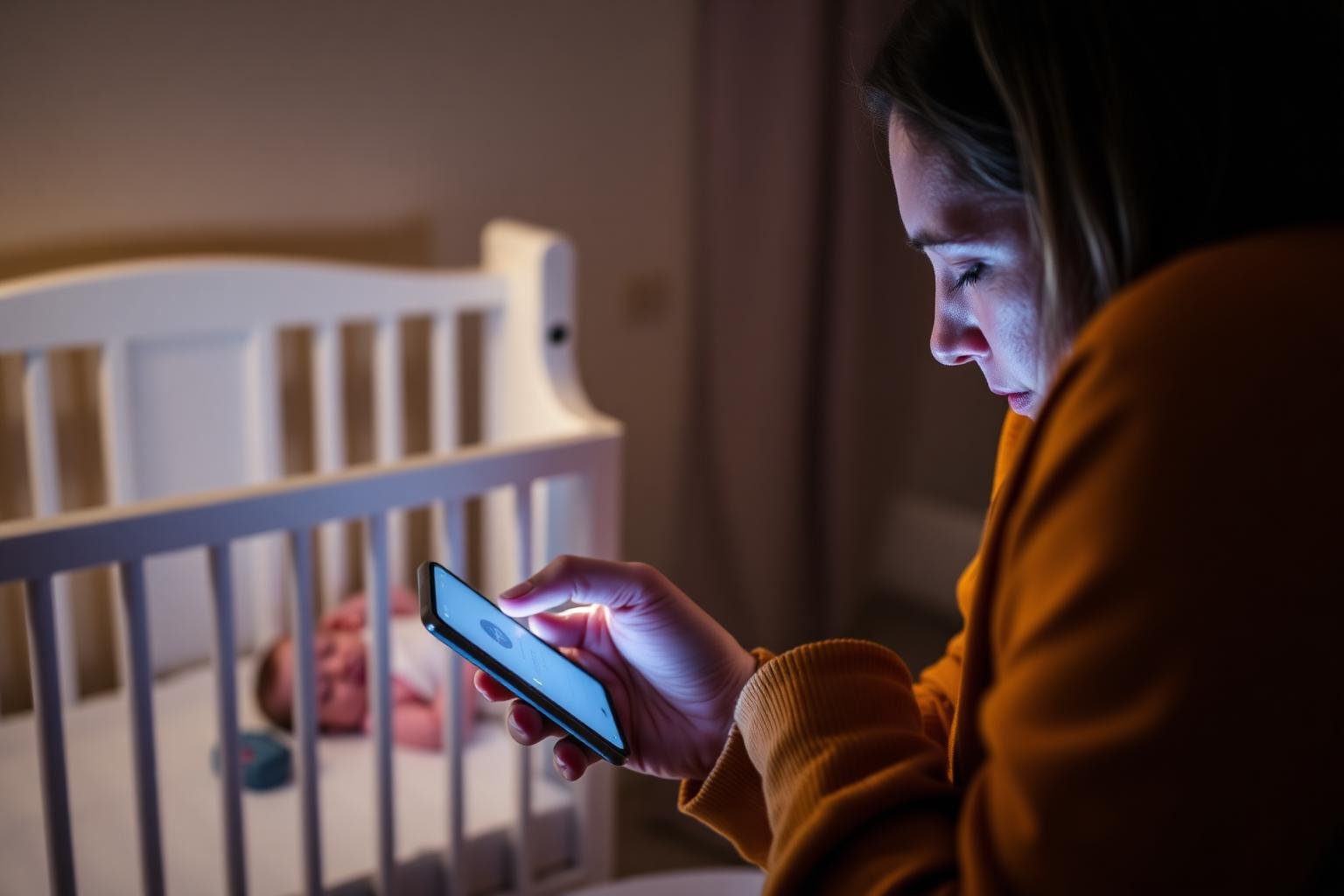
For some parents, the Owlet does not reduce anxiety — it amplifies it. Instead of sleeping peacefully and checking on the baby in the morning, they spend the night watching the app, analyzing every fluctuation in heart rate, and panicking at every alert. This is sometimes called “alert anxiety” or “data anxiety,” and it is a well-documented phenomenon with health-tracking devices.
2.3 The “Green Light” Dependency
Some parents become dependent on the green light. They cannot check on the baby or go to sleep without first confirming the green light. If the device malfunctions, runs out of battery, or loses connection, the parent experiences disproportionate distress. This dependency is not healthy.
2.4 Cost and Subscriptions
The device costs $250-$300. Some features require a monthly subscription ($10-$15/month). Over the course of a year, the total cost can exceed $400. For this money, you could purchase a high-quality dedicated video monitor, a white noise machine, a nursery humidifier, and a firm sleep sack — all of which have more direct safety or comfort benefits.
PART 3: WHAT THE RESEARCH SAYS
- A 2020 study published in JAMA Pediatrics found that consumer pulse oximetry devices had significant false alarm rates and did not improve clinical outcomes in low-risk infants.
- The FDA has warned that consumer pulse oximeters should not be used for SIDS prevention.
- No study has demonstrated that the Owlet or similar devices reduce SIDS incidence.
- Studies on parental anxiety with wearable monitors show mixed results: some parents report reduced anxiety, while others report increased anxiety.
PART 4: MY CLINICAL RECOMMENDATION
For most healthy, full-term babies: the Owlet is not medically necessary. The evidence does not support its use for SIDS prevention. The false alarm rate is significant. And the cost is substantial.
For parents with significant anxiety: if having the Owlet helps you sleep better and reduces your stress, it may be worth the investment — with the understanding that the device does not prevent SIDS and that false alarms are likely.
For parents of high-risk babies: discuss with your pediatrician. A prescribed medical-grade monitor is a different product with clinical validation.
The bottom line: the Owlet is a personal choice, not a medical recommendation. If you buy it, use it as a reassurance tool — not as a safety device. And continue to follow evidence-based safe sleep practices regardless.
Pediatrician’s Take
“The Owlet is the most asked-about product in my practice. Parents want to know: should they buy it? My answer is always the same: the Owlet does not prevent SIDS. No study has shown that it does. If it reduces your anxiety and helps you sleep, it may be worth it. If it increases your anxiety and keeps you up at night checking your phone, it is not worth it. Either way, follow the safe sleep guidelines. Those are what actually protect your baby.”
Related Articles
- Smart Baby Monitors: Do Oxygen & Heart Rate Alerts Prevent SIDS?
- Smart Socks & Sleep Trackers: What the Data Tells You
- Baby Tech That Actually Helps: A Pediatrician’s Honest Review
Recommended Products
Best Baby Vital Monitors Compared (All major wearable trackers evaluated) → See our top picks
Pediatrician’s Take: The Owlet is a reasonable product for some families — but it is not a medical device. The company has never claimed FDA clearance for SIDS prevention, and the FDA has never granted it. As a reassurance tool, the Owlet can help a parent who is losing sleep to anxiety. As a safety device, it does not exist. If you buy it, you should know exactly which one of those you are getting. I tell parents in my practice: be honest with yourself about which category you are in, and be willing to send it back if you are not.
What Parents Need to Know
A practical, evidence-based checklist before you spend $300 and commit to a subscription on a baby wearable:
- The Owlet is a consumer wellness product, not a medical device. It is not FDA-cleared for SIDS prevention, for medical monitoring, or for the diagnosis of any condition. Owlet’s own documentation, packaging, and FDA filings reflect this. The FDA’s safety communication on pulse oximeters is explicit: no consumer pulse oximeter is cleared or approved for SIDS prevention. Treat it accordingly.
- The sensor placement matters more than the marketing suggests. The sock must sit correctly on the lateral side of the foot with the sensor window over the big toe pad. A loose sock, a kicked-off sock, a sock on the wrong foot, or a foot that is cold will all produce false or missing readings. The first week is mostly a learning curve.
- False alarms are common, especially in the first two weeks. The Owlet uses a base station that glows green when readings are in range and pulses or sounds when they are not. Most Owlet parents report at least one false alarm per week, and many report more. Plan for it, and have a plan for what you will do (look at the baby first, not the phone).
- The subscription is where the real cost lives. The sock itself is $250-$300, but the Owlet Dream Sock and newer models push premium features behind a $10-$15/month subscription. Over two years that adds $240-$360 on top of the device. For some families it is worth it. For others, the free-tier data is plenty.
- Age limits are real. The Owlet sock is sized for babies roughly 1-18 months (5-30 lbs). Preemie babies may not fit the smallest size, and chunky eighteen-month-olds may outgrow the largest. The signal quality also degrades as babies become mobile, kick the sock off repeatedly, and transition to a toddler bed.
- When NOT to use it: do not use the Owlet (or any consumer monitor) as a substitute for a medical-grade apnea monitor prescribed by your pediatrician. Do not use it to justify unsafe sleep practices. Do not use it as the reason you are checking your phone every twenty minutes at 3 AM. In each of these cases, the device is making things worse, not better.
- Alternatives exist. If you want a video monitor with breathing detection, the Nanit Pro is a reasonable option. If you want a non-wearable breathing motion pad, the Snuza or the Babysense can fill that role. If you want the simplest possible reassurance, a plain video monitor and a reliable bedtime routine may serve you better than a wearable. See the smart monitor comparison and the sleep tracker guide for a full breakdown.
- Talk to your pediatrician. Especially if your baby was premature, has a known cardiac or respiratory condition, or if your anxiety is severe enough that you are checking the app compulsively. We have resources, including referrals, that can help.
Common Questions (FAQ)
Does the Owlet prevent SIDS?
No. The Owlet has never been shown to prevent SIDS in any peer-reviewed study, and the FDA has explicitly stated that no consumer pulse oximeter is cleared or approved for SIDS prevention. SIDS remains a condition without a continuously monitorable physiological signature, and the interventions that have been shown to reduce SIDS risk are behavioral: back sleeping, firm mattress, room sharing, no smoke exposure, breastfeeding, pacifier use, and vaccination. The Owlet may give you a reading, but it cannot give your baby a guardian. For a broader view, read the smart monitor and SIDS prevention article and the baby tech pillar guide.
How often does the Owlet give false alarms?
In published user surveys and in my own conversations with parents, false alarms are common in the first two weeks as you learn the right sock fit, and they continue at a lower rate for the life of the product. A 2019 study in JAMA Pediatrics on consumer pulse oximeters (which the Owlet uses) found false alarm rates as high as 10% of total monitoring time under some conditions. The most common causes are the sock losing contact with the skin, the baby kicking the sock off, and positional changes that briefly reduce perfusion in the foot. If your Owlet is alarming multiple times a night, every night, something is usually off with the fit or the placement.
Can my baby’s foot be too small for the Owlet sock?
Yes. The Owlet is sized for babies roughly 5-30 pounds, and preemie babies or very small newborns may not fit even the smallest size. A sock that is too loose will give false readings constantly, which is worse than no monitor at all. If your baby is under 5 pounds or too small for the smallest Owlet size, wait until they grow into it, talk to your pediatrician about a prescribed medical monitor, or use a non-wearable alternative like a breathing motion pad or a plain video monitor. See the smart monitor comparison for device sizing details.
Is the Owlet subscription worth it?
It depends on which features you actually use. The free tier of the Owlet app shows live heart rate and oxygen readings, with a history of recent events. The paid subscription (Owlet Insights or similar) adds historical trend analysis, developmental milestone tracking, and a few sleep analytics features. For a parent who only wants a live reading and a green light, the free tier is plenty. For a parent who genuinely wants long-term trend data and is willing to pay for it, the subscription can be worth the cost. For a parent who is going to obsess over every data point and lose sleep to the analytics, the subscription is actively harmful — skip it. The sleep tracker accuracy article walks through how to use this data without becoming a slave to it.
When should I stop using the Owlet?
There is no medical guideline that says you must stop at a specific age, but the case for using it weakens sharply after six months. SIDS risk is heavily concentrated in the first four to six months and falls steeply after that, so the marginal value of a wearable decreases. Most families in my practice stop daily Owlet use by six to nine months, often around the time the baby starts standing in the crib, kicking the sock off, or transitioning out of the swaddle. A few families continue using the sleep tracking feature into toddlerhood. The right answer is whatever lets your family sleep without the device becoming a source of anxiety in its own right.
When to Call Your Pediatrician
The Owlet is a consumer device, not a clinical one. Call your pediatrician — or seek emergency care — for any of the following, regardless of what the app or the base station is telling you:
- Your baby turns blue, pale, or goes limp, or you witness an episode of stopped breathing or choking that requires stimulation. Call 911 or go to the emergency room. The Owlet is not a medical device, and a green light does not replace your own eyes.
- Your baby is working hard to breathe (nostril flaring, rib retractions, grunting, head bobbing), breathing very fast (over 60 breaths per minute when calm), or has a persistent cough or wheeze. These signs need a clinician, not a phone app.
- Your baby has a fever of 100.4°F (38°C) or higher rectally in the first three months, or any fever with rash, lethargy, or poor feeding. Newborn fever is always an emergency.
- Your baby is difficult to wake, has a weak or high-pitched cry, refuses multiple feeds in a row, or has fewer wet diapers than usual. Dehydration in a newborn can escalate quickly.
- You are checking the Owlet app compulsively, losing sleep to alerts, or finding that the device is increasing your anxiety instead of reducing it. We can talk through whether the Owlet is helping your family or quietly hurting it. There is no judgment in that conversation.
- You have a history of anxiety, OCD, or postpartum mood symptoms that are flaring up around the device. Perinatal anxiety and OCD are real, common, and treatable. Please reach out so we can help.
Use the Owlet to gather information. Use your pediatrician to interpret it. Use your own eyes to confirm what your baby is doing right now.
Medical Disclaimer: This article is for informational purposes only and does not constitute medical advice. Always consult your pediatrician for guidance on your baby’s health and safety.
================================================================================
================================================================================
Related Articles in This Cluster
This article is part of ChildBloom’s pediatrician-reviewed Baby Tech & Gear cluster. Read the complete series:
- Baby Tech That Actually Helps: A Pediatrician’s Honest Review of Smart Monitors, Socks & Apps
- Smart Baby Monitors: Do Oxygen & Heart Rate Alerts Prevent SIDS?
- Smart Socks & Sleep Trackers: What the Data Actually Tells You
- White Noise Apps vs. Dedicated Machines: Which Is Better for Baby Sleep?
- Baby Camera vs. Full Monitor System: What Do You Actually Need?
- Best Smart Baby Monitors with Health Tracking: Pediatrician-Reviewed Comparison
- Top 5 Baby Sleep Trackers & Wearables: Pediatrician-Reviewed Accuracy Guide
- Best Wi-Fi Baby Cameras for Remote Monitoring: Security & Quality Reviewed
Related Pediatrician-Reviewed Resources
This article is part of the pediatrician-reviewed Baby Tech & Gear series. Continue reading:
- Baby Camera vs. Full Monitor System: What Do You Actually Need?
- White Noise Apps vs. Dedicated Machines: Which Is Better for Baby Sleep?
- Smart Socks & Sleep Trackers: What the Data Actually Tells You
- Smart Baby Monitors: Do Oxygen & Heart Rate Alerts Prevent SIDS?
Trusted Authority Sources
Frequently Asked Questions
Q: When should I call the pediatrician?
A: Call immediately for: fever in a baby under 3 months, difficulty breathing, signs of dehydration (no wet diapers for 8+ hours, no tears when crying), lethargy or difficulty waking, a rash that doesn’t fade when pressed, or if your baby seems to be getting worse. For non-urgent concerns, call during business hours.
Q: How do I know if my baby is developing normally?
A: Development varies widely, but babies should show progressive gains in motor skills, social interaction, and communication. If your baby isn’t meeting multiple milestones or is losing skills they once had, discuss with your pediatrician. Early intervention is highly effective if there are delays.
Q: What products do I really need for my baby?
A: The essentials are: a correctly installed car seat, a safe sleep space (crib or bassinet with firm mattress), diapers and wipes, appropriate clothing, and a digital thermometer. Beyond these, focus on products that address specific needs rather than marketing claims. Always prioritize safety certifications over features.
Related: Organic Cotton Baby Clothes Worth It
📖 More from the Health & Safety Hub: your A-Z pediatrician guide to baby health, common illnesses, fevers, rashes, allergies, safety
Common mistakes parents make with baby wearable trackers
- Assuming a higher price means a safer or better-performing option — certification and correct fit matter far more.
- Skipping the instruction manual, weight limits and product registration, which is how recall notices reach you.
- Changing several things at once, so you cannot tell what actually helped your baby.
- Relying on advice from social media instead of your pediatrician when something feels off.
Related pediatrician-reviewed reading
- Top 5 Baby Sleep Trackers & Wearables
- Baby Camera vs. Full Monitor System
- Organic cotton baby
- Smart Socks & Sleep Trackers
- baby health & safety hub
References & further reading
Medical disclaimer: this article is for general education and does not replace individual medical advice. Always follow your own pediatrician’s guidance for your child.